The counter app your staff will actually like using
Take orders, update their status, record payments, and print receipts from the phone or tablet at your counter, even when the internet is down. Staff see their own branch and nothing they don't need.
Get it on Google PlayFree forever · 30 days of Pro · No credit card
No internet? Keep taking orders.
Slow Wi-Fi, an outage, or mobile data that ran out: the counter keeps working, and everything reaches your account when the signal comes back.
- Saved on the tablet first New orders, status changes, payments, customers, and expenses save on the device right away, so staff never wait on the internet.
- Syncs on its own When the connection is back, waiting changes reach your account within seconds. There's nothing for staff to press.
- Always shows what's waiting A status pill shows Online or Offline, with the number of changes still to sync.
- Receipts still print The Bluetooth printer connects straight to the tablet, so receipts print with or without internet.

When the internet drops
What the counter sees
- Online every change saved to your account
- Offline · 3 orders saved on the tablet
- Back online sending the 3 waiting changes
- Synced your admin app is up to date
From drop-off to receipt
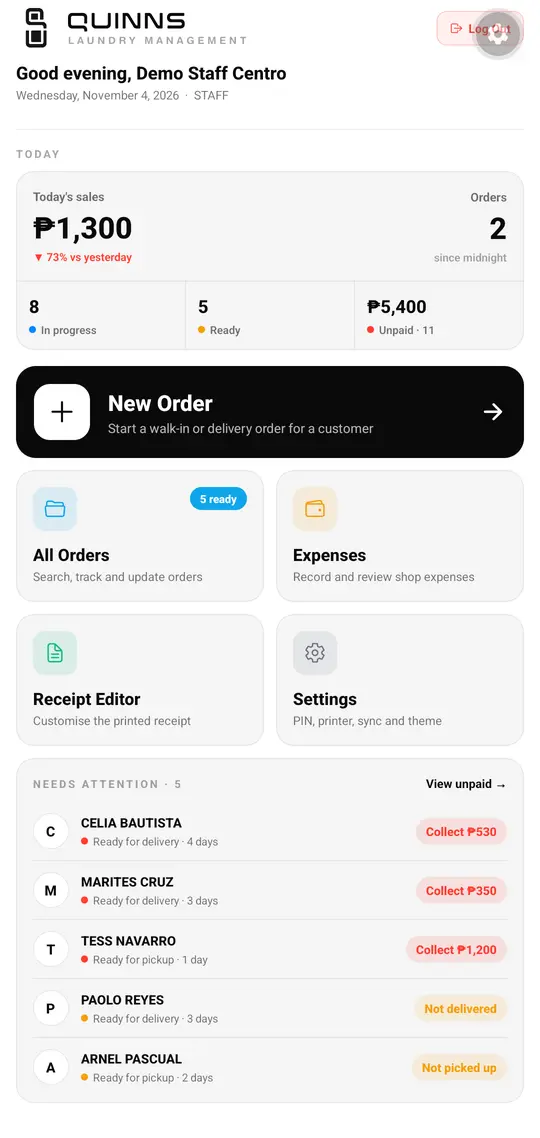
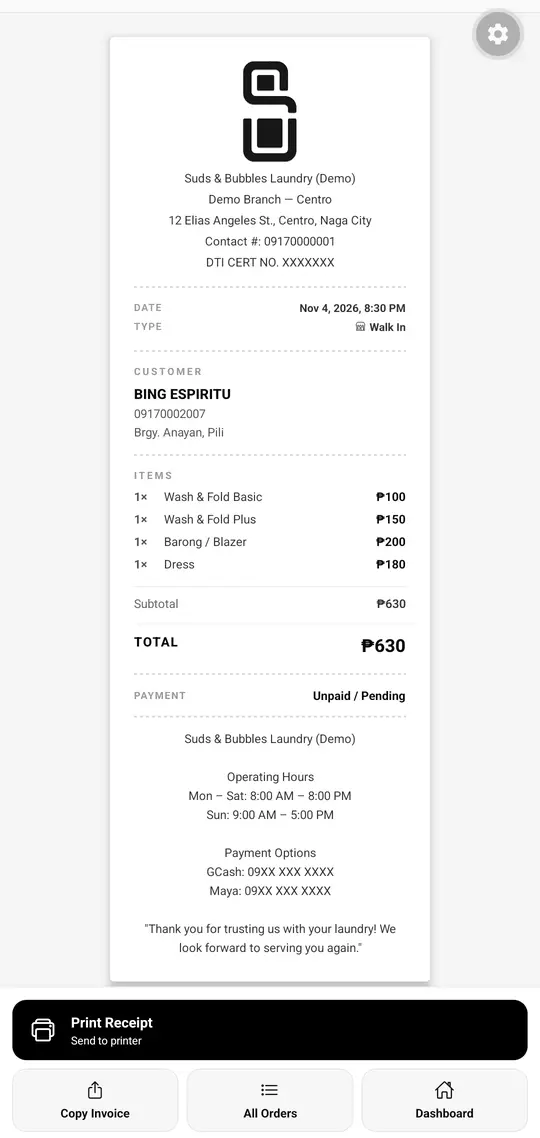
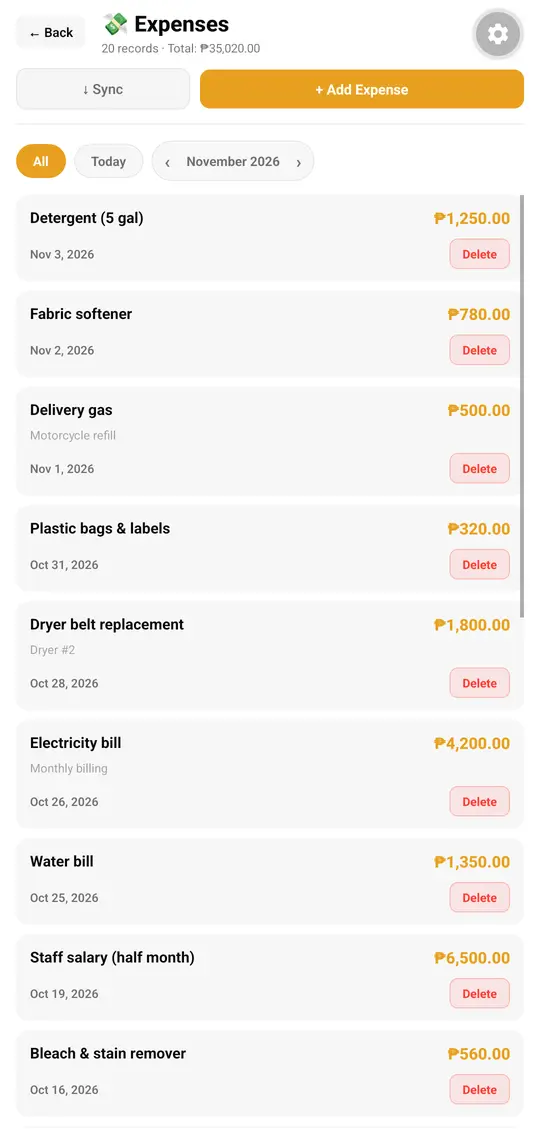
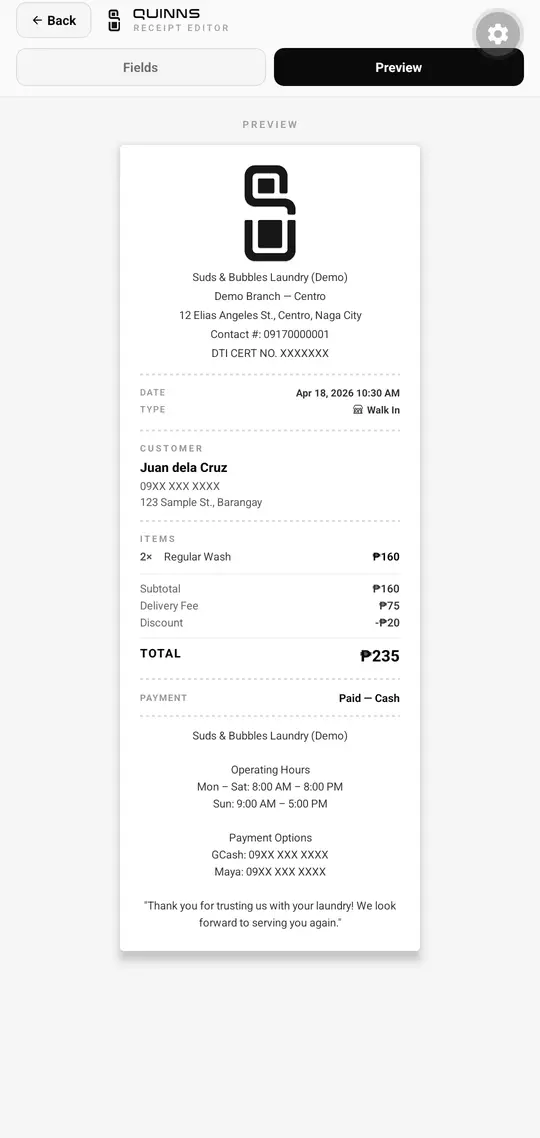
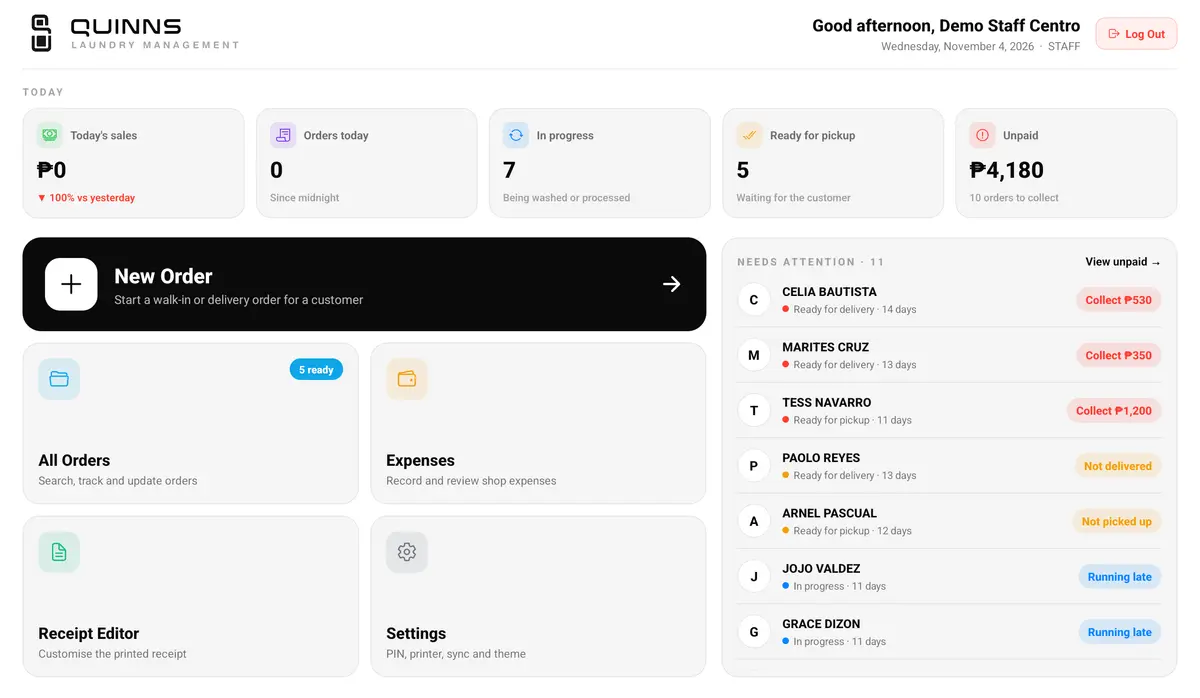
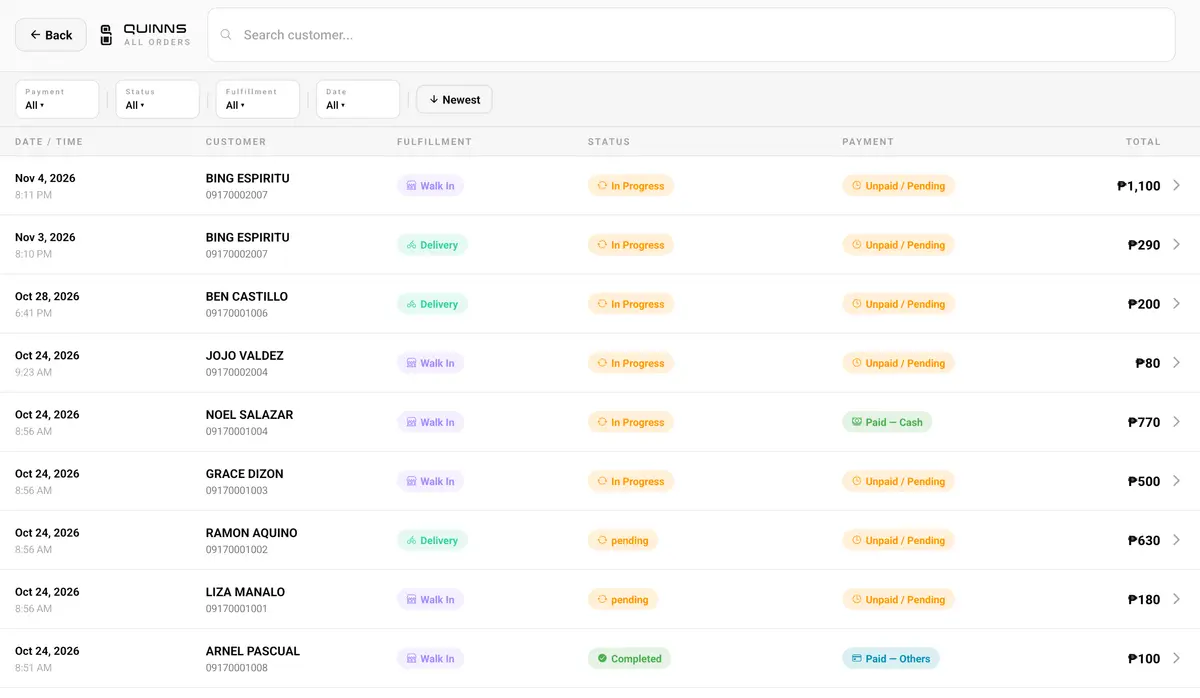
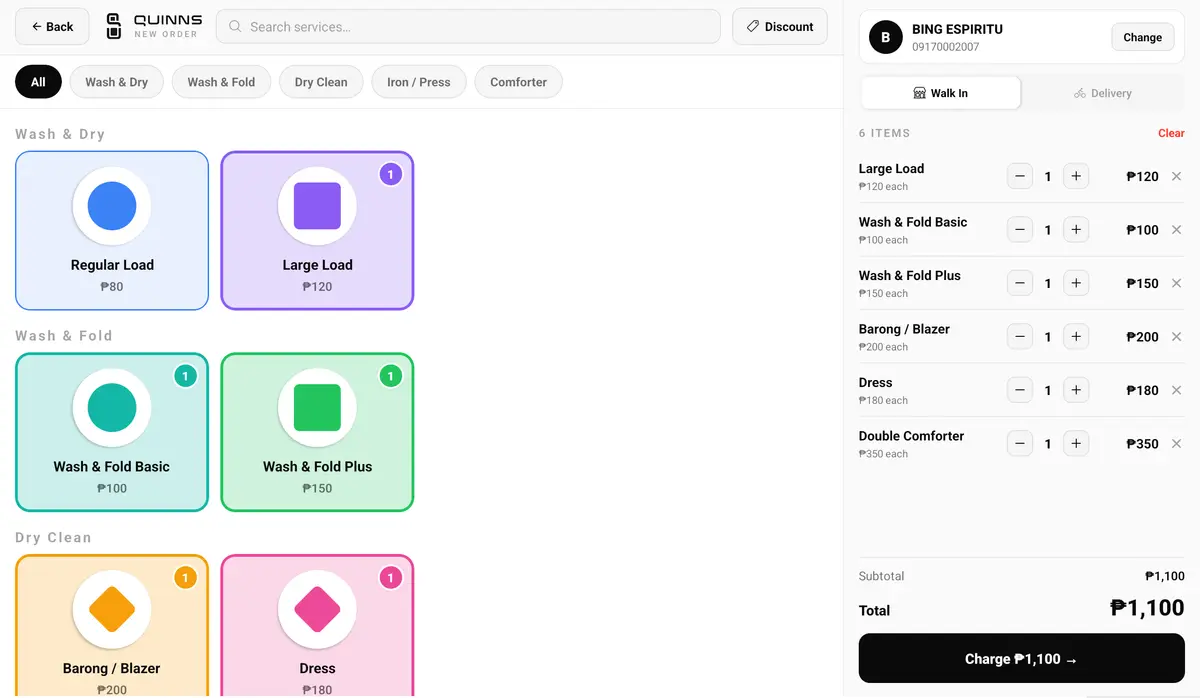
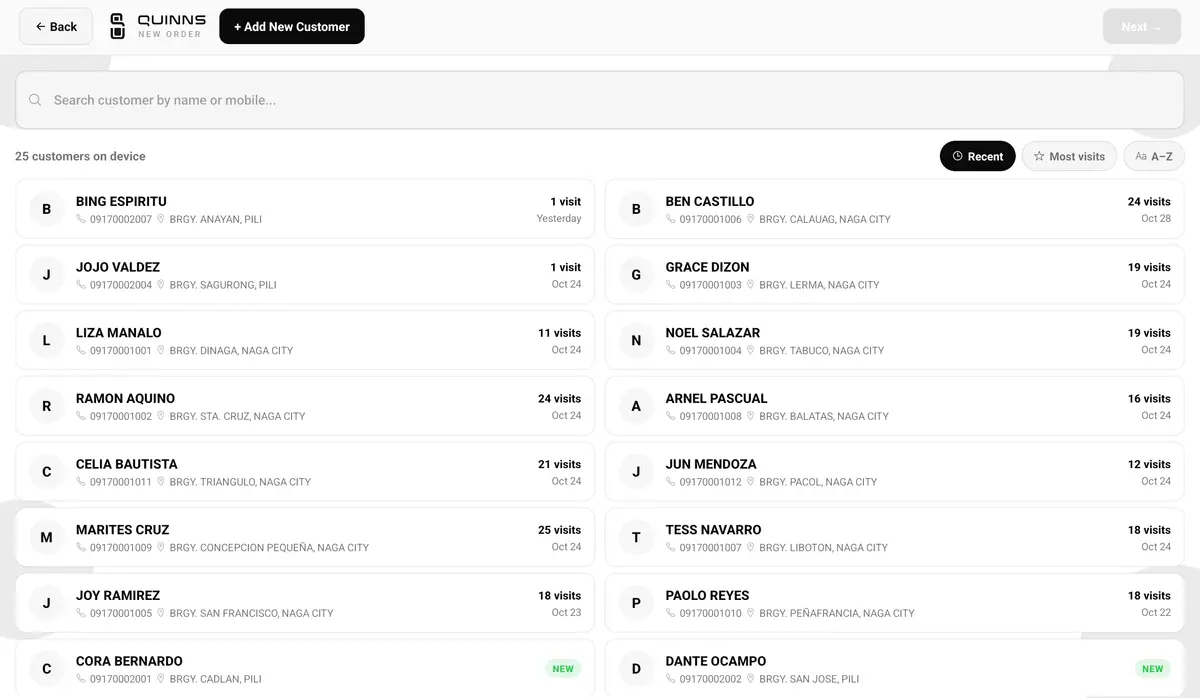
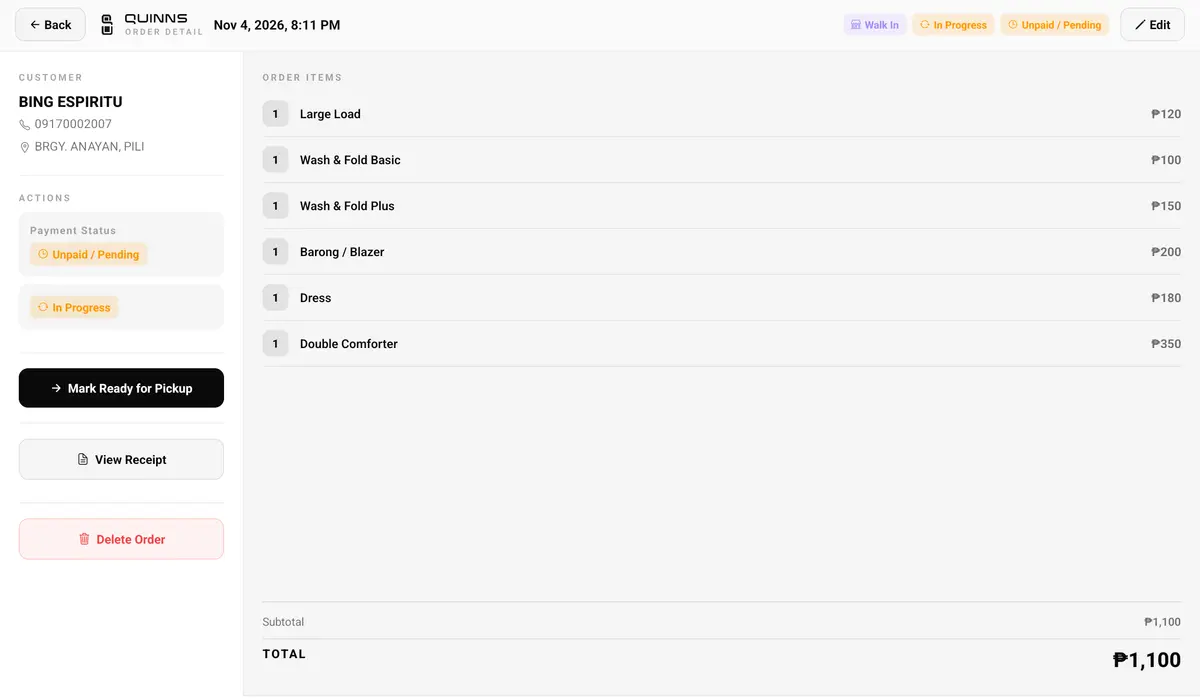
Real screens from the staff app, running on a demo shop.
Made for the counter tablet, too
Put the staff app on a tablet at the counter and the home screen shows the day at a glance: today's sales, what's being washed, what's ready, and who still owes. Orders that need attention, like unpaid deliveries or late pickups, sit right beside the New Order button. On a tablet, the order list becomes a full table and new orders show the services and the total side by side. The same account works on a phone when staff are away from the counter.
Everything for the counter, in one place
From the moment a customer drops off a bag to the moment they pick it up.
New orders in a few taps
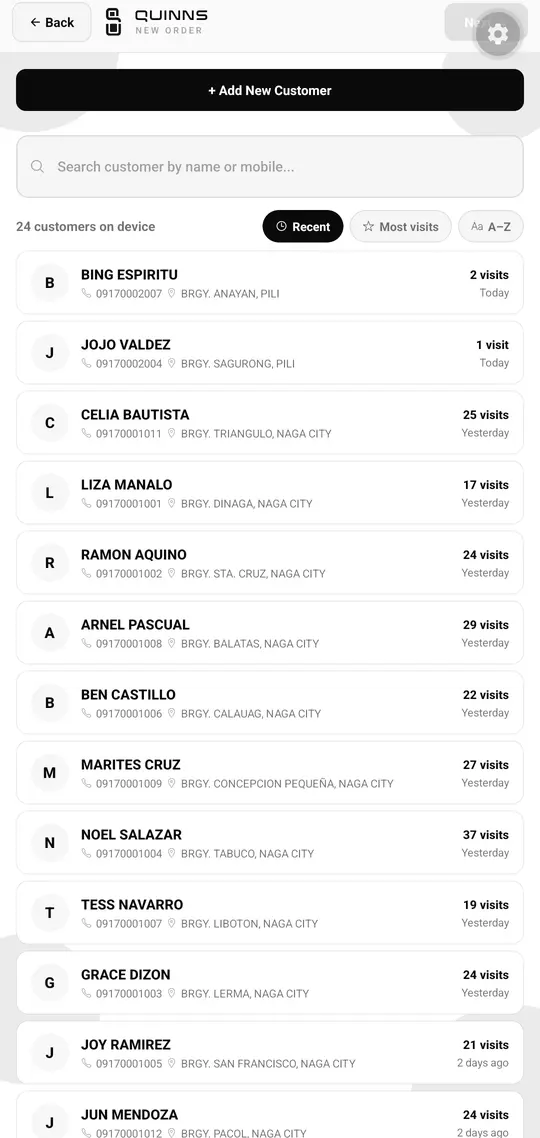
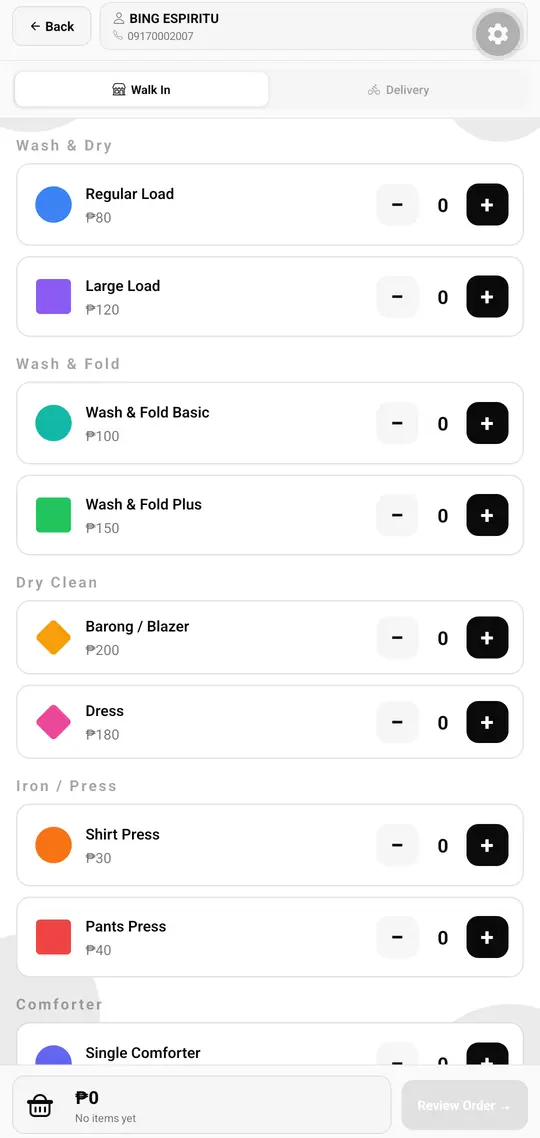
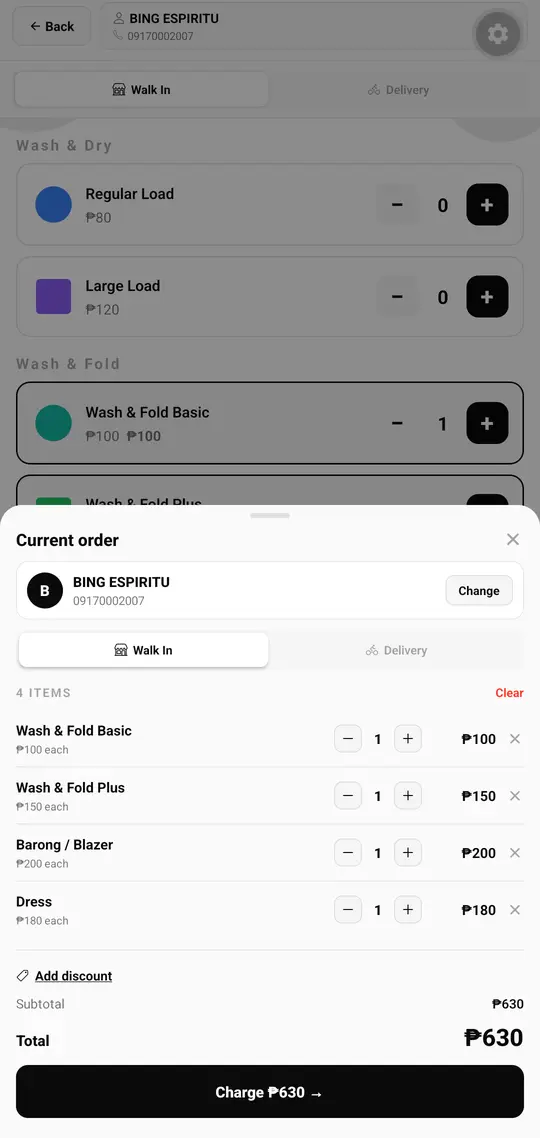
Pick the customer, tap + on each service, add a discount if needed, and review the total before saving.
Walk-in or pickup and delivery
Mark each order as walk-in or delivery. Delivery orders go straight to your drivers once they are ready.
Status at a glance
Move orders from pending to in progress, ready, and completed, and filter the list by status, payment, fulfillment, or date.
Record every payment
Mark orders paid by cash, GCash, bank transfer, or other methods — or leave them unpaid until the customer settles at pickup.
Customers on file
Search returning customers by name or mobile number, or add a new one with their address, notes, and delivery fee in seconds.
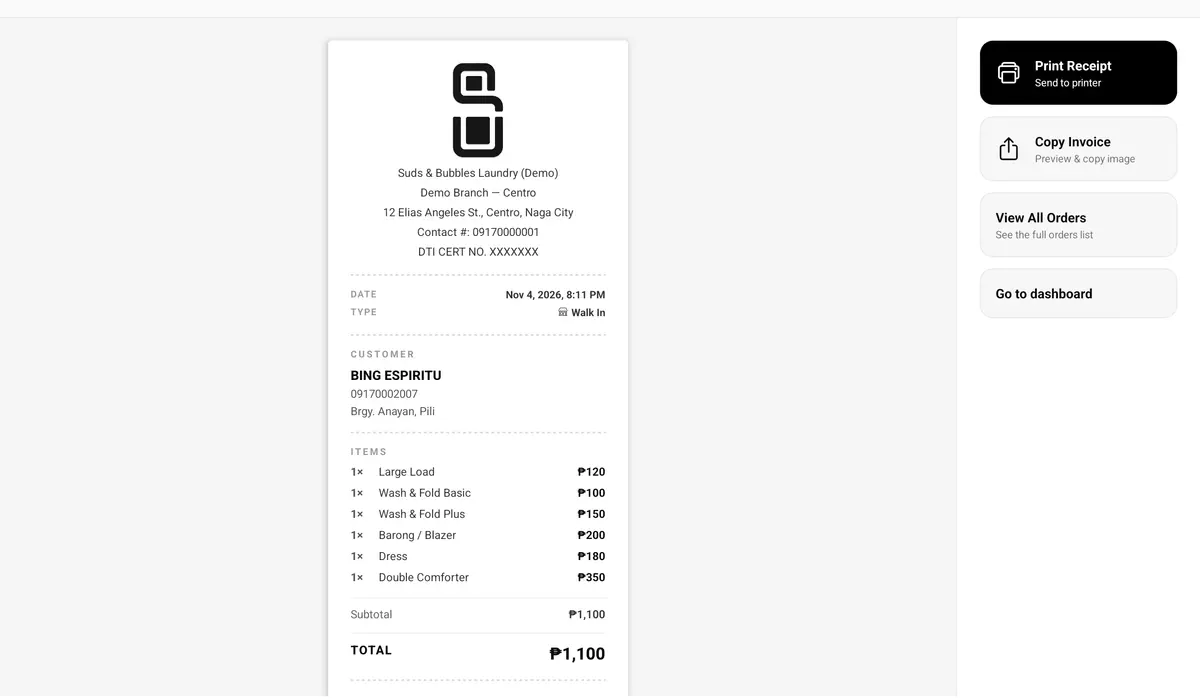
Print receipts
Print to a Bluetooth thermal printer, 58mm or 80mm, or copy the invoice to send to the customer.
Your receipt, your way
Set your shop name, contact details, operating hours, and payment options, and choose what each receipt shows.
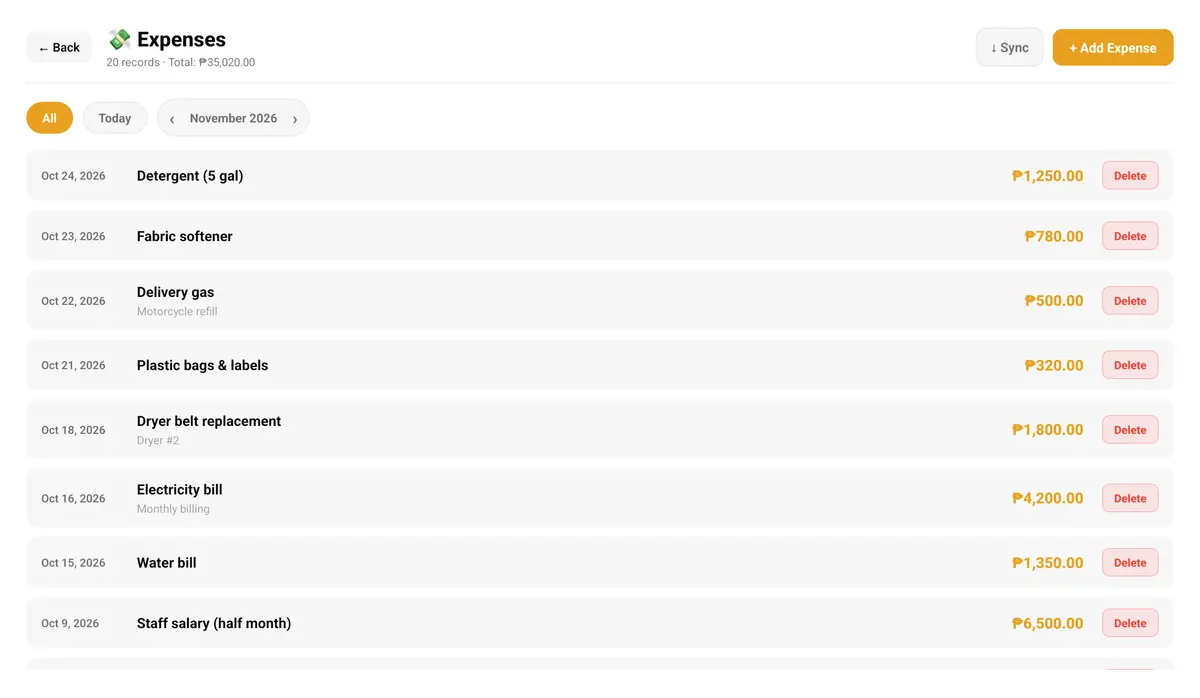
Expenses as they happen
Log branch expenses like detergent or fuel the moment they are paid, and see today's or the month's total.
Locked with a PIN
The app opens with a PIN, so only your staff can use the counter phone or tablet.
Every order, from drop-off to pickup
Staff always know which orders are waiting, which are being washed, and which are ready to go home.
- Drop-off Create the order with the customer's items and choose walk-in or pickup and delivery.
- In progress Move it along as the laundry is washed, dried, and folded.
- Ready and paid Mark it ready, record the payment, and hand it over — or send it out with a driver.
Order status
What the counter sees for every order
- Pending just dropped off
- In progress being washed
- Ready for pickup or delivery
- Completed with the customer
Payment
Recorded whenever the customer pays
Open the counter in three steps
- 1 Create your shop account Sign up for a free trial, then add your branches and your price list.
- 2 Give each staff member a sign-in Every staff account belongs to one branch, so your counter only sees that branch's orders.
- 3 Take the first order Staff sign in on the shop tablet and tap New Order. That is all the training most teams need.
Questions about the staff app
Does the staff app work without internet?
Yes. Orders, status changes, payments, customers, and expenses save on the device and sync to your account on their own when the connection comes back. Receipts print over Bluetooth with or without internet. Staff need a connection the first time they sign in, so the app can download your price list.
Can I print receipts?
Yes. Connect a Bluetooth thermal printer, 58mm or 80mm, from the settings and print from any order. You can also copy the invoice to send to the customer.
What device does the staff app run on?
It is built for the tablet at your counter, and it runs on the tablets and phones you already have. Download it free from Google Play on any Android tablet or phone.
Can staff see other branches or sales reports?
No. Staff only see the orders, customers, and expenses for their own branch. Sales reports and shop settings stay with your admins.
Which payment types can staff record?
Cash, GCash, bank transfer, and others. Orders can also stay unpaid until the customer settles at pickup.
Do customers carry over between branches?
Yes. Customers are shared across your branches, so a regular who drops off at one location is recognized at every other.
How do pickup and delivery orders reach the drivers?
Mark the order as pickup and delivery. Once it is ready, it appears in the drivers' job pool, and staff can follow its delivery status from the counter.
How many staff accounts can I have?
The Free plan includes 1 staff account for its one branch. Starter includes unlimited staff and driver accounts for one branch, and Pro adds up to 3 branches and unlimited admin accounts.
Works with your admin and delivery apps
Full visibility across every branch — orders, reports, and account settings.
Explore the admin app →See what's ready for pickup or drop-off and update order status on the go.
Explore the delivery app →Give your counter a better way to work
Start free and take your first order today. No credit card required.