Your whole laundry business, in your pocket
Check sales, profit, and the cash you collected across every branch from your phone. Set your prices, add branches, and follow every order.
Get it on Google PlayFree forever · 30 days of Pro · No credit card
Built for the way you check on your shop
Real screens from the admin app, running on a demo shop.
Know how every branch is doing
Reports, prices, branches, and orders — the tools that keep your shop profitable.
Sales and profit at a glance
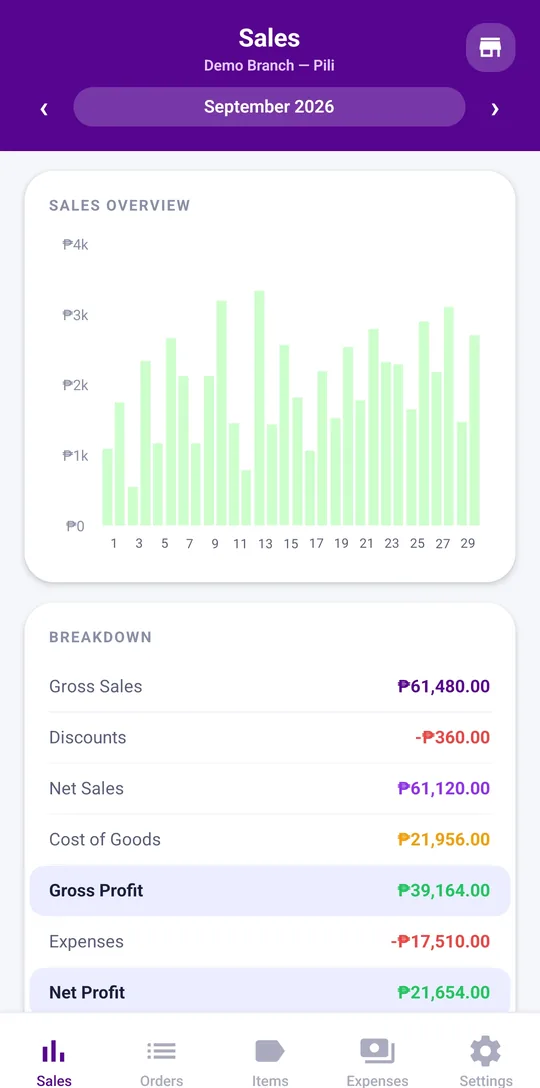
Gross sales, discounts, cost of goods, expenses, and net profit for any day, week, month, year, or custom range — with net sales up or down against the same point last period.
Laundry waiting for pickup
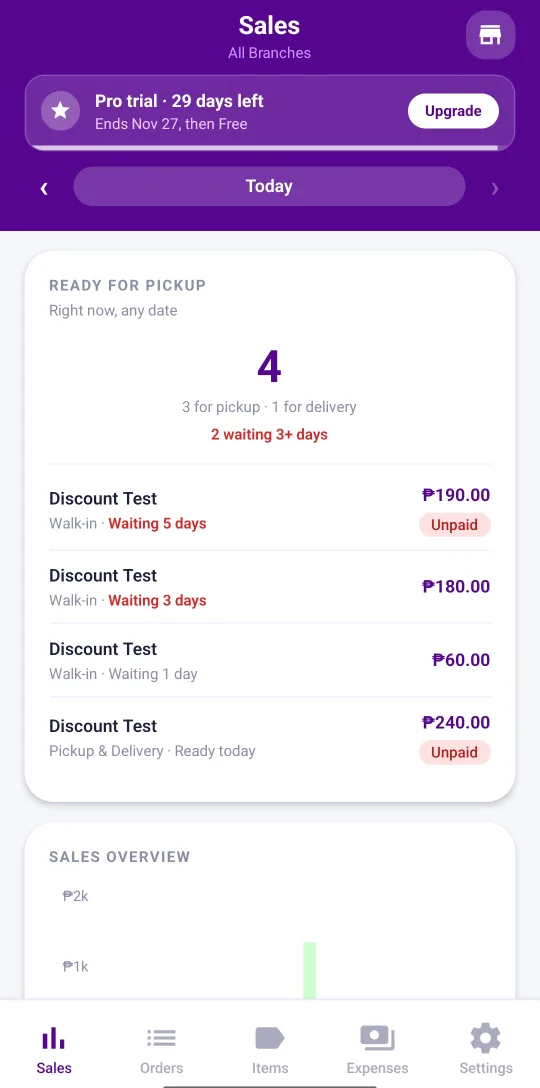
See every finished order still on the shelf or waiting for a driver, oldest first, with the ones waiting 3 days or more flagged so they get collected and paid.
Cash reconciliation
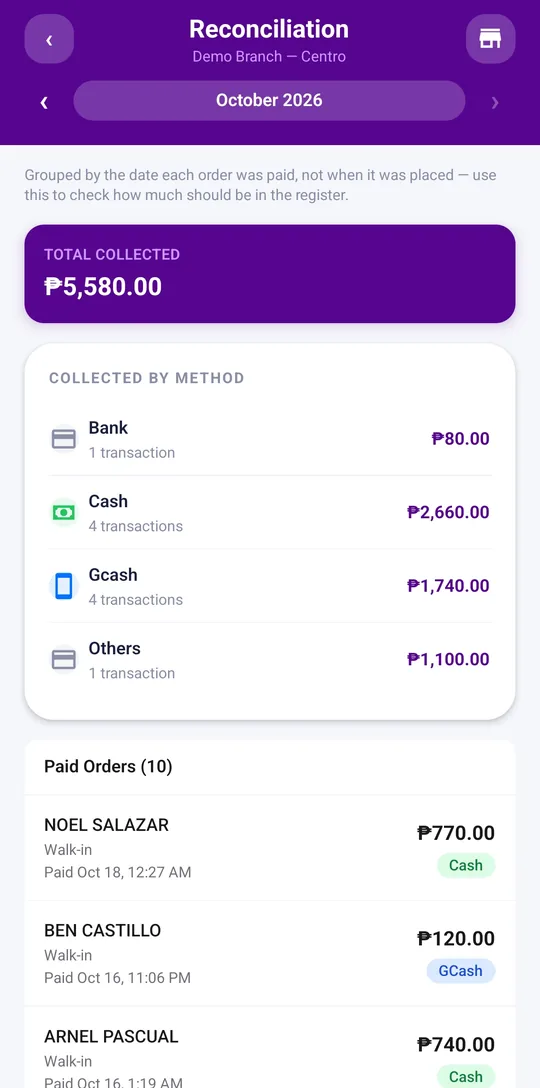
See what you collected by the day it was paid — cash, GCash, bank, and others, with every paid order listed — so you know exactly what should be in the register.
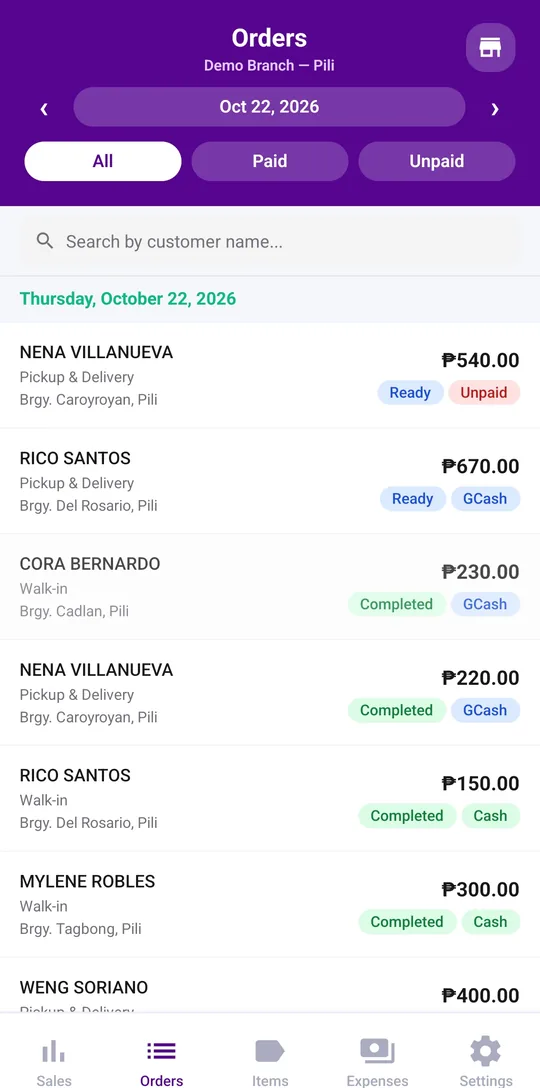
Every order, start to finish
Filter paid and unpaid orders, search by customer, and open any order to see its items, discount, status history, and payments.
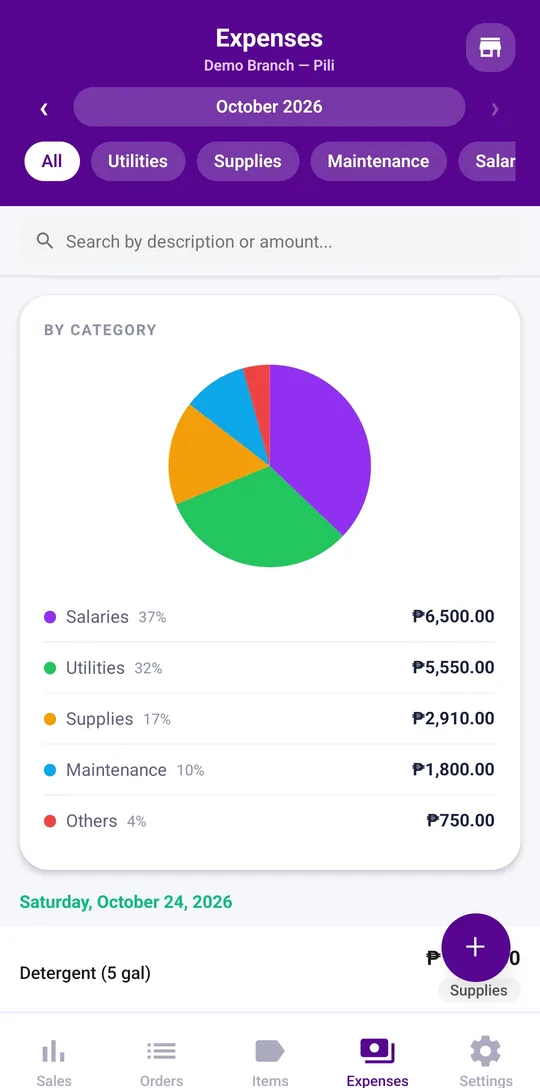
Expenses by category
Log expenses, filter them by your own categories, and see the spending trend and where the money goes.
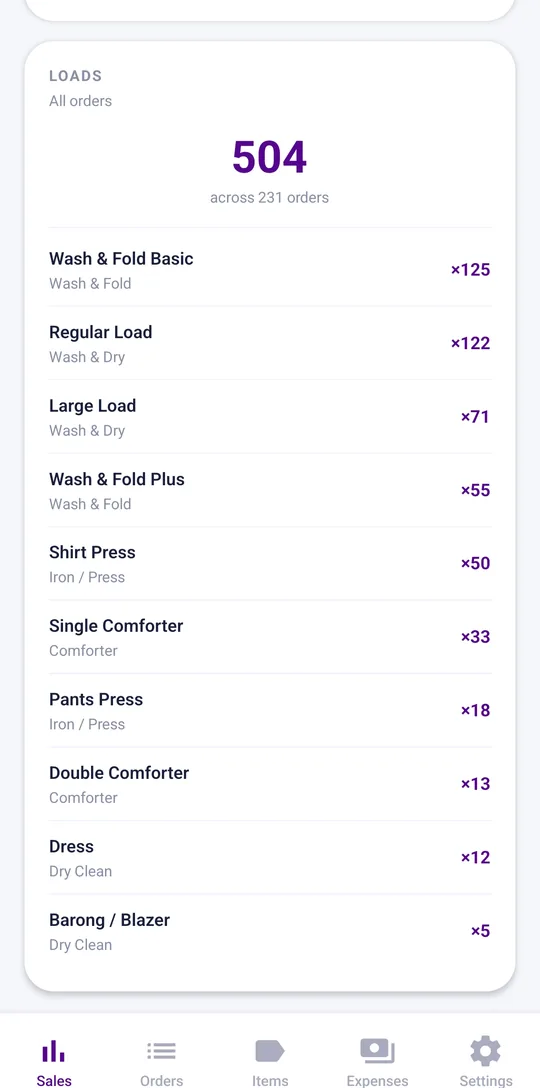
Loads report
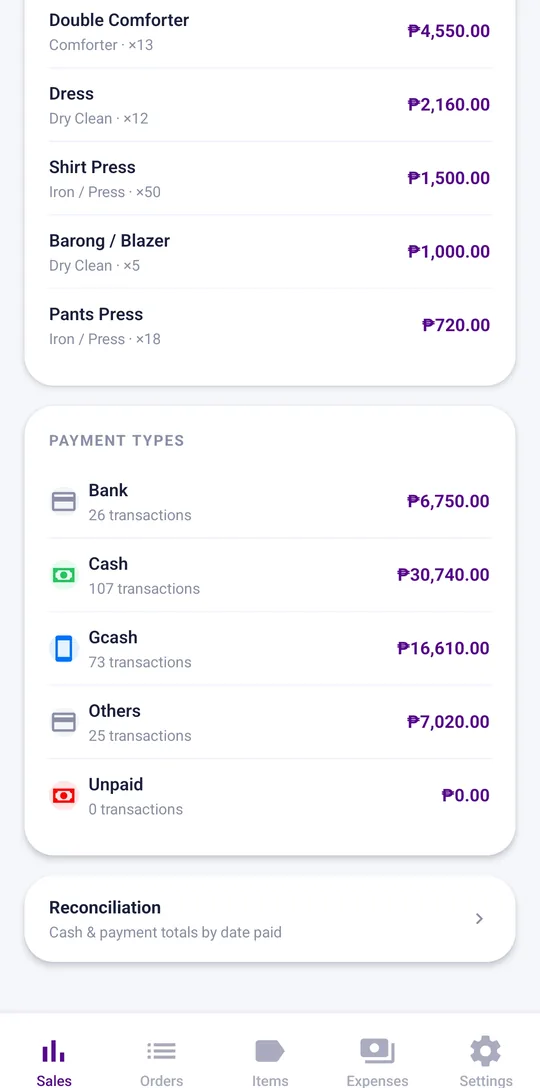
See how many wash loads come in, split by walk-in and pickup and delivery, and by item, so you can plan staff and supplies.
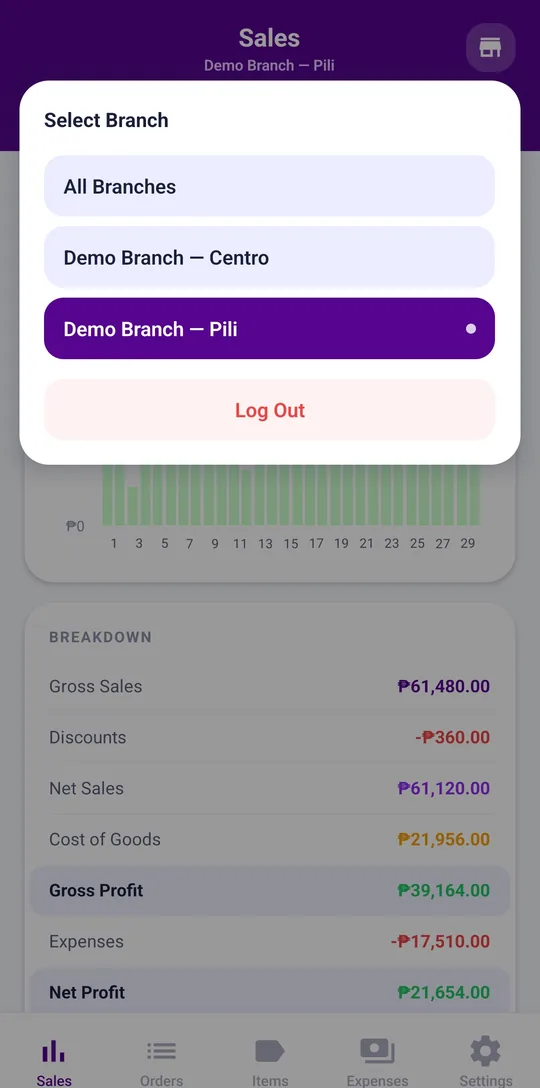
Every branch, one account
Switch between branches or see them all together, each with its own price list.
Your price list
Set up services and items in categories, with prices per branch, so the counter always charges the right amount.
Shop settings
Update your shop name, contact details, address, and GCash number whenever they change.
See the numbers without the spreadsheet
Everything your team records at the counter and on the road adds up in your admin app automatically.
- Cash you can count on Reconciliation groups payments by the day they came in and totals cash, GCash, bank, and others, so closing the day takes minutes.
- No laundry left on the shelf Finished orders nobody has collected stay on your list with the days they have waited, so they get picked up and paid.
- Spending you can explain Search expenses by description or amount, and see which categories take the biggest share.
- One branch or all of them Compare branches, or zoom in on one when something looks off.

Reports
Included in your plan
- Sales by dayStarter
- Sales by itemStarter
- Sales by payment typeStarter
- Expenses by categoryStarter
- LoadsStarter
- Ready for pickupStarter
Set up your shop in three steps
- 1 Create your shop account Sign up with your business name and email. You become the admin of your shop.
- 2 Set up branches and prices Add each branch and set up the services and prices it offers.
- 3 Bring in your team Give your staff and drivers their own sign-ins, then watch orders and sales come in from your phone.
Questions about the admin app
How do I check the cash at closing?
Open Reconciliation. It totals every payment received that day by method — cash, GCash, bank, and others — and lists the paid orders, so you can count the drawer and spot a shortage right away.
Can I see all my branches at once?
Yes. Admins see orders, sales, and expenses across every branch, and can filter to a single branch whenever they need to.
Which reports are included?
Starter and Pro include every report: sales by day, by item, and by payment type, daily cash reconciliation, loads, laundry waiting for pickup, and expenses by category. On the Free plan the admin app is for your prices and your staff login.
How do I know which laundry has not been picked up?
The Sales screen lists every order marked ready that has not been picked up or delivered yet, oldest first, with how many days it has waited and whether it is still unpaid. Orders waiting 3 days or more are flagged, so you can call the customer.
Can I manage the shop from my phone?
Yes. The admin app is built for your phone, so you can check sales and expenses wherever you are.
How do I add a new branch?
Add the branch from the admin app, then set up its price list so it is ready to take orders.
Can I change my shop details and GCash number?
Yes. Admins can update the shop name, contact details, address, and GCash number from the settings.
Is my data private to my shop?
Yes. Each business has its own separate account, and nobody outside your team can see your orders, customers, or sales.
Works with your staff and delivery apps
Take and manage orders at their branch, even offline, without the distraction of admin tools.
Explore the staff app →See what's ready for pickup or drop-off and update order status on the go.
Explore the delivery app →Run every branch from one place
Start free with 30 days of Pro and see your shop's numbers come together. No credit card required.