Run your laundry shop, fully booked
Take orders at the counter, send drivers on pickups, and see today's sales and cash from your phone, for every branch. Laundry management software with an app for your staff, admin, and drivers.
- 30 days of Pro free
- No credit card
- Free plan after, nothing deleted
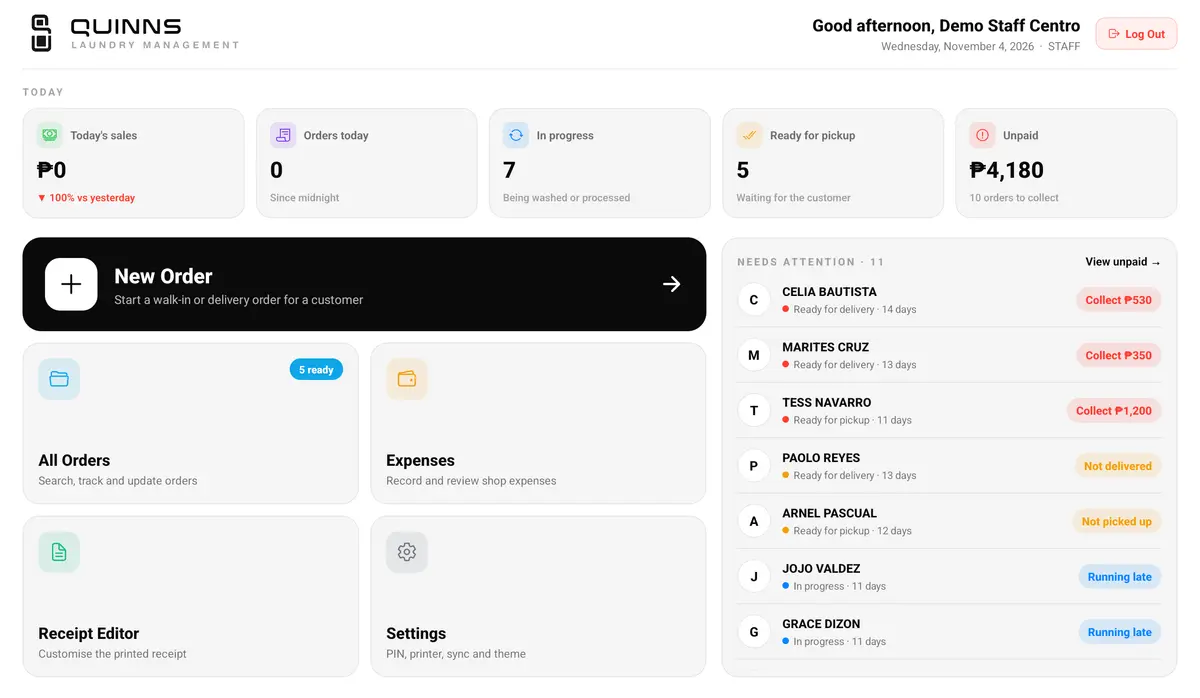
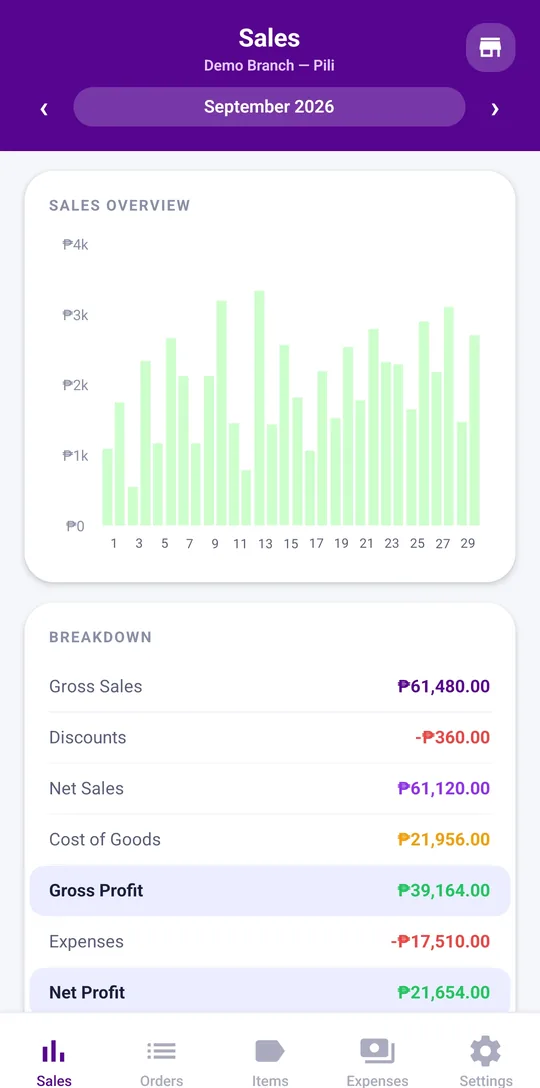
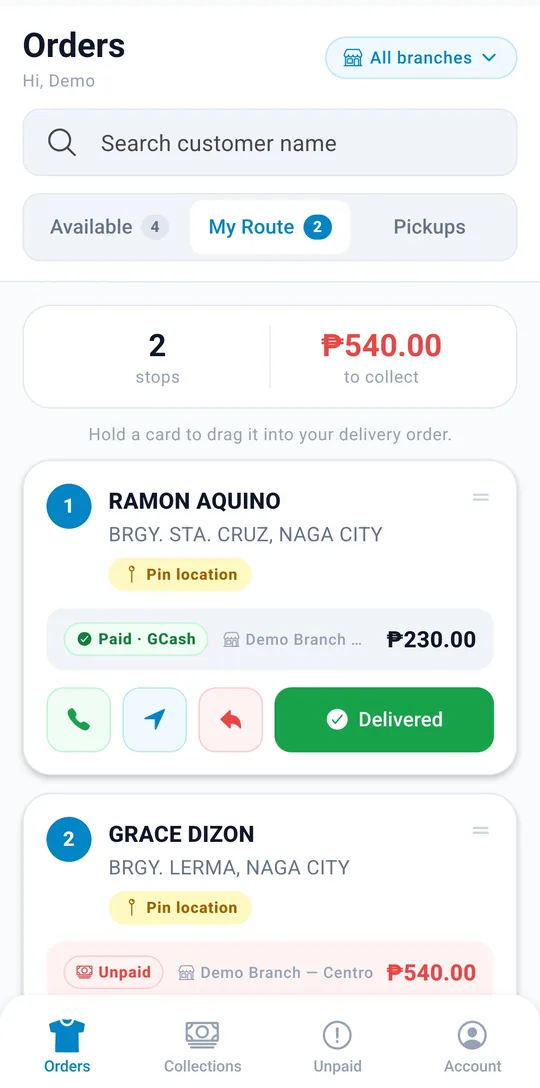
From walk-in orders to pickup and delivery — Quinns POS is where your shop runs its whole day.
Everything your counter needs, built in
From walk-in orders to end-of-month reports, it's all in one system — no notebooks or spreadsheets.
Order Tracking
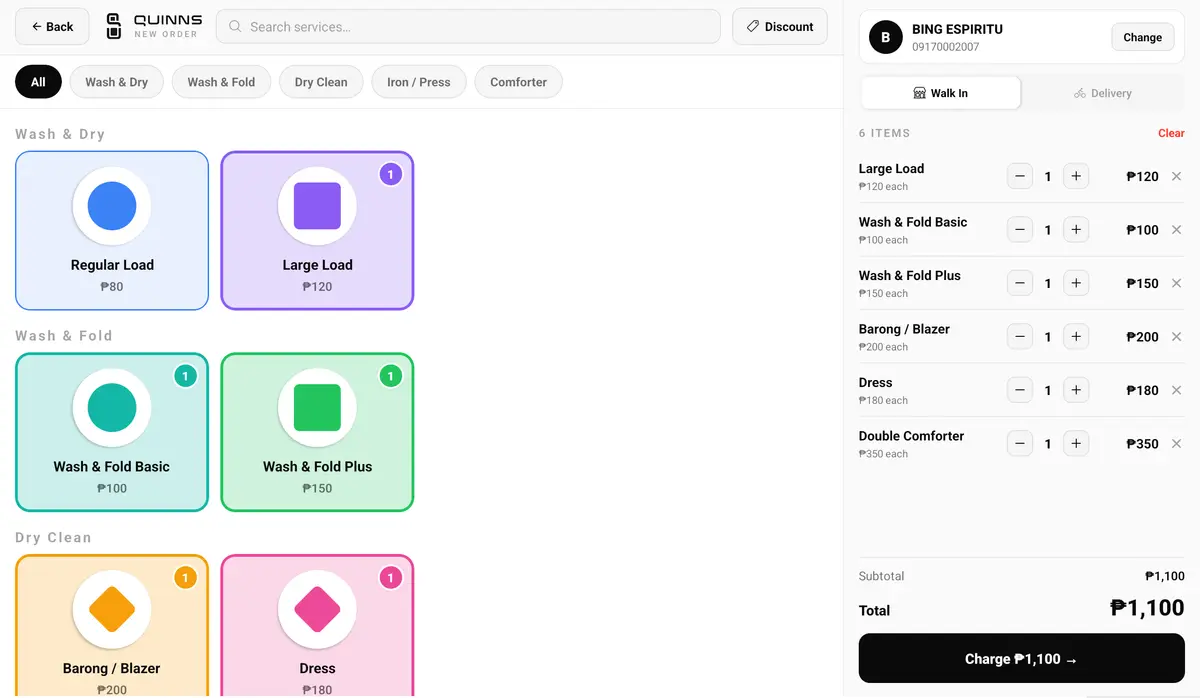
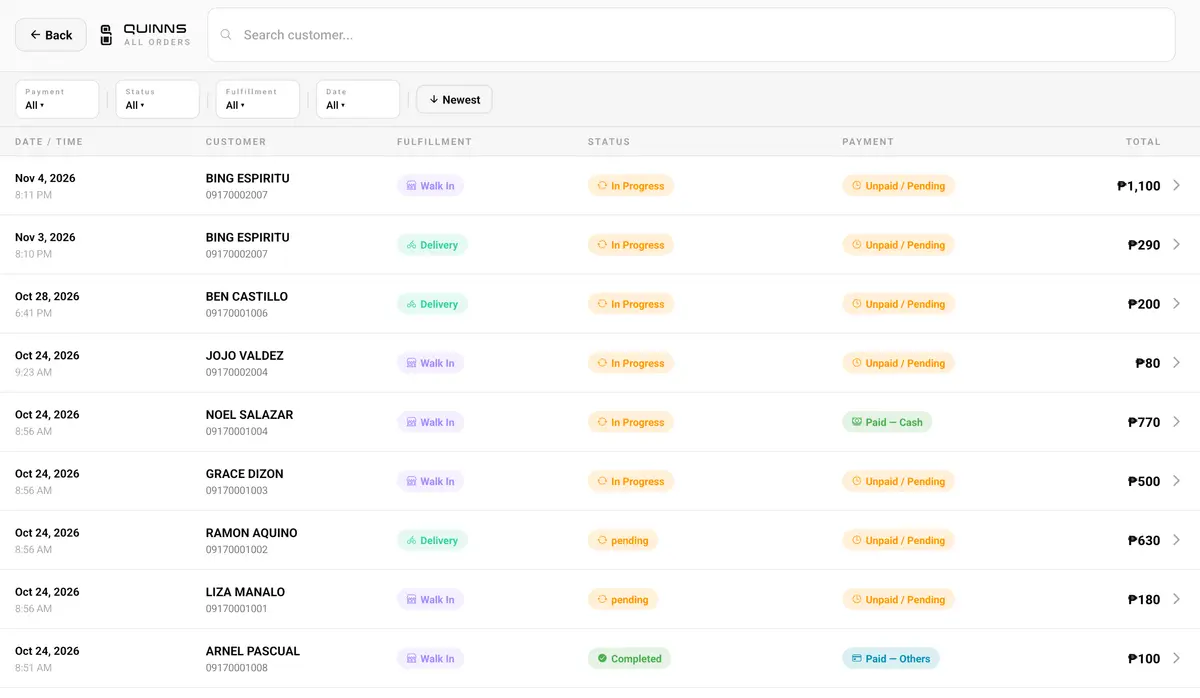
Take orders, track their status from drop-off to pickup, and record payments as they come in.
Multi-Branch Ready
Running more than one location? Manage every branch from a single account.
Customer Records
Keep a history of every customer and their orders, so repeat business is easy to serve.
Expense Tracking
Log expenses by category to see exactly where your money is going each month.
Sales Reports
See sales by day, by item, and by payment type — no spreadsheets required.
Cash Reconciliation
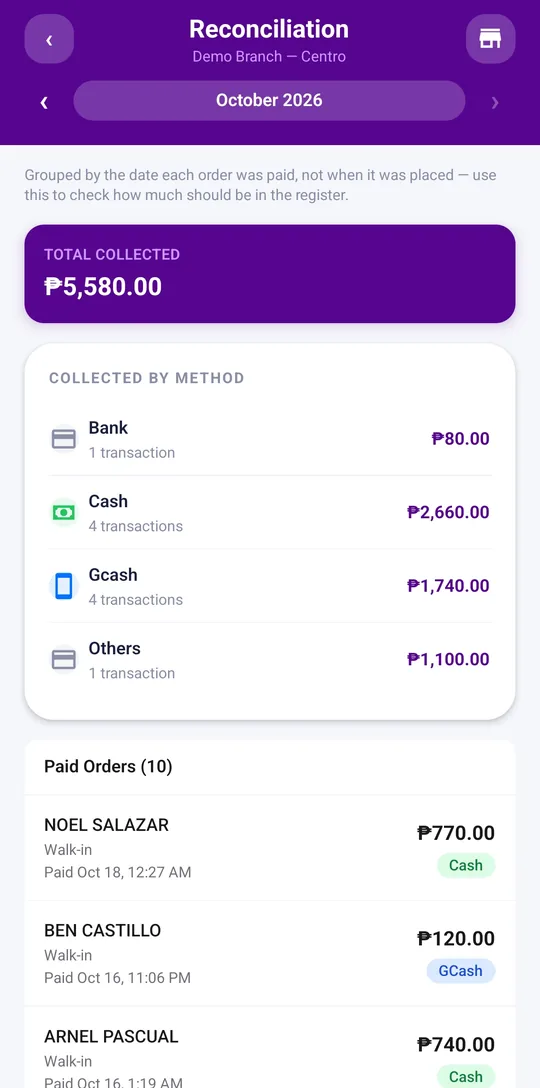
See exactly how much cash, GCash, and bank transfer you collected each day, with every paid order listed, so you can count the drawer and spot a shortage before closing.
Works Without Internet
The staff app keeps taking orders and payments when the internet drops, and syncs everything when it's back. How it works
Curious what it can do for your shop?
Create your account and see it running in minutes.
Real apps, not a spreadsheet
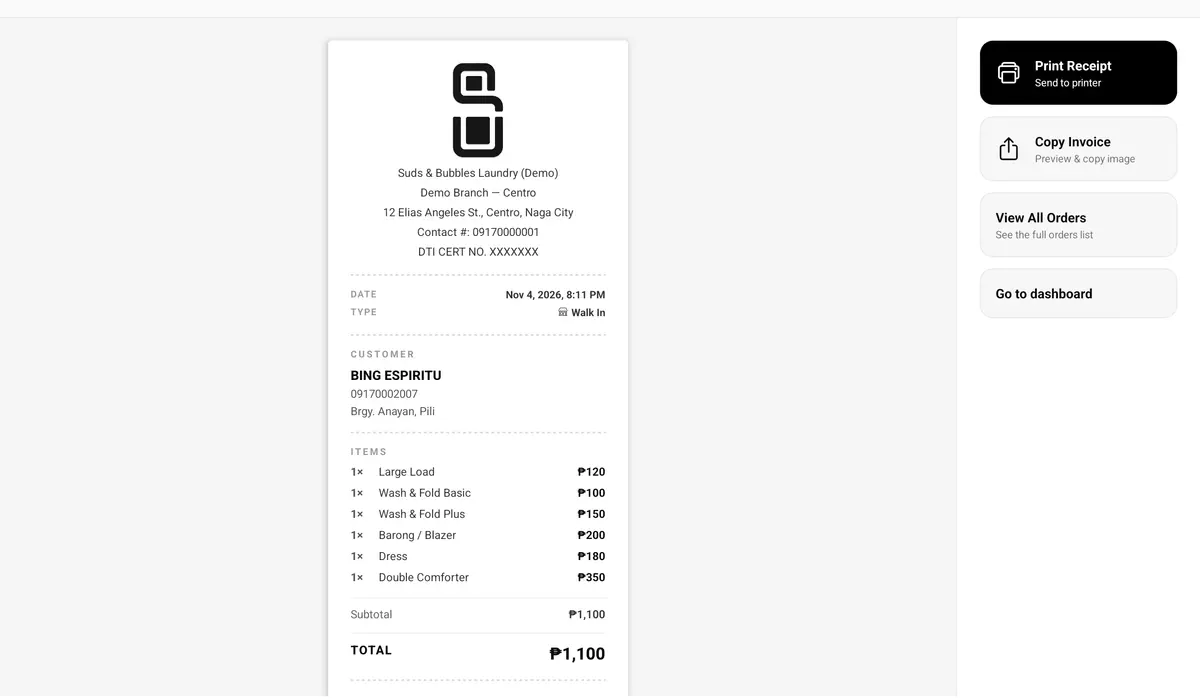
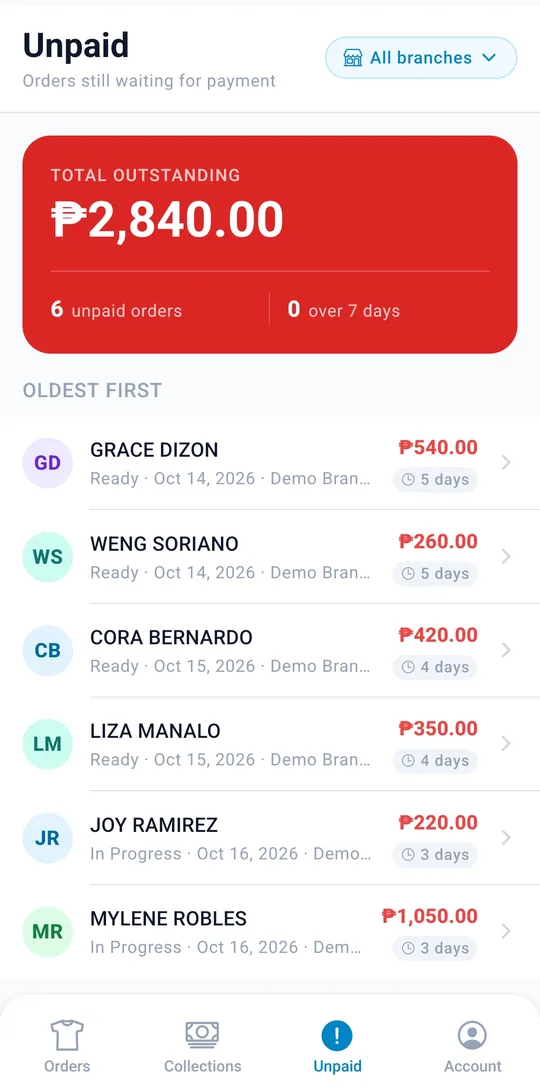
Real screens from the staff, admin, and delivery apps, running on a demo shop.
At the counter Staff app on a tablet
On the go Admin and delivery apps on a phone
Your drivers, on the same page as your counter
Take pickup requests, let drivers claim them from their phone, and see every bag from the customer's door to your shop and back.
- One pool, every branch Drivers see open pickups and deliveries from all your branches and claim the ones they can take — no two drivers grab the same job.
- Routes they can follow Drivers drag stops into the order they'll drive them, pin each customer's door, and call or get directions in one tap.
- Every peso accounted for Drivers see which orders are still unpaid, oldest first, and how much cash they need to remit to the shop.
- Works with patchy signal Driver updates are saved on the phone and sync once they're back online, so nothing gets lost on the road.
- Status your staff can trust When a driver marks an order delivered, it's completed at the counter too — no phone calls to double-check.

Pickup
From the customer to your shop
- Requested by the driver
- Claimed by a driver
- Picked up with bag count
- Received at the shop
Delivery
From your shop back to the customer
- Ready for delivery
- Claimed by a driver
- Delivered order completed
An app for every role
Everyone signs in to the same system, scoped to what they need to see.
Take and manage orders at their branch, even offline, without the distraction of admin tools.
Explore the staff app →Full visibility across every branch — orders, reports, and account settings.
Explore the admin app →See what's ready for pickup or drop-off and update order status on the go.
Explore the delivery app →Taking orders in minutes
No installer, no setup fee, no sales call.
- 1 Sign up with your email Enter your business name and email. Your login details arrive in your inbox right away.
- 2 Your shop is ready Your first branch comes with a starter price list. Change the services and prices to match yours.
- 3 Take your first order Open the staff app at the counter, print a receipt, and add your team and drivers when you need them.
Start free. Upgrade when you grow.
Every new shop gets 30 days of Pro free — all three apps. After that, stay on Free or pick a plan. No credit card required.
Free
For a single counter getting off the notebook.
₱0/forever
No card, no time limit
Apps included
Staff Admin Team and prices Delivery Starter- 1 branch
- 1 staff account
- Orders, payments, and customer records
- Receipt printing
- Expense tracking
- Prices and your staff login in the admin app
Starter
Every app and every report, for one branch.
₱299/month
or ₱2,990/year — 2 months free
All three apps included
Admin Staff Delivery- Everything in Free
- The full admin app
- Unlimited staff and driver accounts
- Pickup requests and the driver app
- Sales, loads, ready-for-pickup, and expense reports
- Daily cash reconciliation
Pro
For growing shops with more than one branch.
₱799/month
or ₱7,990/year — 2 months free
All three apps included
Admin Staff Delivery- Everything in Starter
- Up to 3 branches
- Unlimited admin accounts
- Every branch's sales in one place
Founding-shop price: the first 50 shops on a paid plan keep these prices for as long as they stay subscribed.
Need more than 3 branches? Add each extra branch for ₱249/month.
Questions about plans? Call or text 0915 869 8103
Questions shop owners ask
What happens when my free trial ends?
Your shop moves to the Free plan and keeps running. The staff app, orders, customers, and receipts keep working, and nothing is deleted. The full admin app with reports, driver accounts, and extra branches come back as soon as you pick Starter or Pro.
Is the Free plan really free?
Yes, for as long as you like: one branch, one staff account, and the staff app for orders, payments, customers, receipts, and expenses. You manage your prices and your staff login in the admin app.
Can I pay yearly?
Yes. Starter and Pro are cheaper by the year: you pay for 10 months and get 12. You can also pay month to month.
Do I need a credit card to start?
No. Sign up with your business name and email and you get 30 days of full access.
Does it work on phones and tablets?
Yes. Your staff, admin, and drivers each get an app built for their job, and it runs on the phones and tablets you already have.
What if our internet goes down?
Your counter keeps working. The staff app saves orders, payments, customers, and expenses on the device and syncs them to your account when the connection is back, and receipts still print over Bluetooth.
Can I add staff, drivers, and branches later?
Anytime. Add a branch, set up its price list, and create accounts for the people who work there. Staff only see their own branch; admins see everything.
Which payment types can I record?
Cash, GCash, bank transfer, and others. Reconciliation in the admin app totals each one by the day it was paid, so you can match them against your cash drawer and e-wallet.
Do my customers carry over between branches?
Yes. Customers are shared across all your branches, so a regular who drops off at one location is recognized at every other.
Is my data private to my shop?
Yes. Each business has its own separate account, and nobody outside your team can see your orders, customers, or sales.
Your shop deserves better than a notebook
Create your account in minutes and give your team the tools to run every order, every branch, and every peso — from one place.